
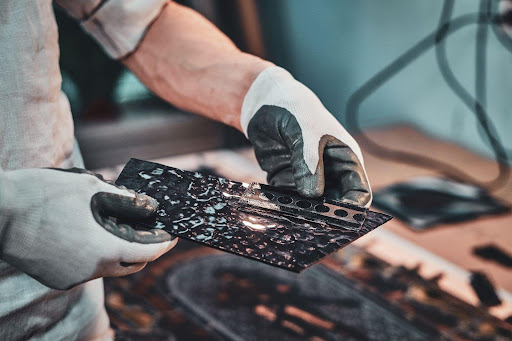

An iPad with a cracked screen can disrupt daily productivity, whether it’s for work, study, or entertainment. Even a minor crack can worsen over time, affecting touch sensitivity, display quality, and device functionality. While DIY solutions are tempting, professional assistance ensures safety, precision, and long-term durability. Understanding how experts manage iPad cracked screen repair helps users make informed choices and extend the life of their device. From assessment to repair techniques, professionals follow detailed procedures to restore the iPad while minimizing risks to internal components. This article explores the processes, tools, and benefits of professional iPad screen repair services.
Why Professional Screen Repair Matters
Repairing a cracked iPad screen is more than replacing glass. Professionals approach each device with care to ensure optimal results and prevent further damage. The right repair strategy considers the iPad model, extent of damage, and user requirements, including data safety and device longevity.
-
Comprehensive Assessment
Before any repair, experts assess the screen damage and overall device condition. They check for cracks, touch sensitivity issues, display discoloration, and internal component damage. A thorough evaluation ensures that all issues are addressed, avoiding recurring problems and ensuring the device functions properly after the repair.
-
Safe Handling of Internal Components
iPads have delicate internal components such as the battery, sensors, and display connectors. Professionals use specialized tools and anti-static precautions to avoid damage during the screen replacement. Careful handling prevents short circuits and protects sensitive parts from further harm.
-
High-Quality Replacement Parts
Using high-quality, compatible replacement screens is crucial for performance and longevity. Professionals source genuine or premium-quality components to ensure clarity, touch responsiveness, and durability. This step guarantees that the repaired iPad functions like new, providing a long-term solution rather than a temporary fix.
-
Precision Repair Techniques
Experts employ precise techniques to remove the damaged screen without affecting the frame or internal components. This involves careful heat application, suction tools, and specialized adhesive techniques. Proper alignment and secure fitting are critical to restore touch accuracy and display performance.
-
Testing and Quality Assurance
After replacing the screen, professionals conduct thorough testing to confirm proper functionality. They check touch responsiveness, display color accuracy, brightness levels, and any potential calibration issues. Quality assurance ensures the iPad is safe to use and meets performance expectations.
Tools and Technology Used by Professionals
Professional repair services leverage advanced tools and technology to guarantee a successful repair.
-
Specialized Repair Kits
Technicians use repair kits designed for specific iPad models, including suction cups, spudgers, and screwdrivers with precise measurements. These tools help remove broken glass safely and access the display without damaging other components.
-
Heat Guns and Adhesive Solutions
Heat guns are used to soften adhesive for safe screen removal, while specialized adhesives ensure secure reattachment of the new screen. Proper application prevents air bubbles, lifting, or misalignment.
-
Anti-Static Precautions
Static electricity can damage delicate circuits. Professionals use grounding straps and anti-static mats to safeguard internal components during repair.
-
Diagnostic Software
Advanced diagnostic tools check the iPad’s touch, display, and sensor functionality after repair. These tools allow technicians to detect subtle issues that might not be visible during manual testing, ensuring a flawless result.
Benefits of Professional iPad Cracked Screen Repair
Repairing an iPad through experts offers numerous advantages beyond merely fixing the glass.
-
Long-Term Durability
Professional repairs extend the life of the device by ensuring proper installation and quality components. DIY fixes or low-quality replacements often fail prematurely, leading to recurring problems and additional costs.
-
Maintaining Warranty and Resale Value
Using authorized or professional repair services often preserves warranties and maintains the device’s resale value. High-quality repair guarantees the iPad remains fully functional, making it easier to sell or trade in the future.
-
Time and Convenience
Professional services complete repairs efficiently, often within a few hours. Users avoid the trial-and-error process of DIY fixes, saving time and frustration while minimizing downtime.
-
Data Safety
Technicians handle repairs without risking user data. Unlike some DIY attempts that can damage internal storage or settings, professional repair ensures the device’s software and data remain intact.
-
Enhanced Functionality
A professionally replaced screen restores touch accuracy, display clarity, and overall responsiveness. Users regain the original experience, making the device feel like new.
Tips for Maintaining a Repaired iPad Screen
Once your iPad has been professionally repaired, proper care helps prevent future damage.
-
Use a Protective Case
A sturdy case absorbs impact and reduces the risk of cracks from accidental drops. Coupled with a screen protector, it shields the glass and enhances durability.
-
Apply a Screen Protector
Tempered glass or plastic protectors add an extra layer of protection against scratches and minor impacts. They also help distribute shock and minimize the chance of future cracks.
-
Avoid Extreme Conditions
High heat, humidity, and direct sunlight can weaken adhesive and affect screen integrity. Keep the iPad in moderate conditions to prolong the life of the repaired screen.
-
Handle with Care
Avoid putting pressure on the screen, and never drop or toss the device. Even a small impact can compromise a new repair if handled roughly.
-
Regular Cleaning
Gently clean the screen using microfiber cloths and avoid harsh chemicals. Proper cleaning prevents residue build-up and keeps the display smooth and responsive.
Choosing the Right Repair Service
Selecting a professional and reliable repair service ensures that your investment is protected.
-
Reputation and Reviews
Check reviews, testimonials, and ratings to verify the service quality. A good repair service has consistent positive feedback from customers regarding professionalism, speed, and results.
-
Experience and Expertise
Technicians should have experience with various iPad models and screen types. Expertise guarantees accurate repairs and minimizes risk of damage to the device.
-
Warranty on Repairs
Professional services provide warranties on replacement parts and labor. This ensures confidence in the repair and provides support in case of post-repair issues.
Conclusion
Choosing the right repair service is essential to restore your iPad to optimal functionality and avoid further damage. Professional repair providers offer precision, high-quality replacement parts, advanced tools, and expert techniques to ensure a long-lasting solution. Features like testing, warranty support, and data protection further enhance the value of professional services, making them the preferred choice for anyone facing screen damage.
NZ Electronics Repair exemplifies these qualities by providing expert iPad cracked screen repair with fast turnaround, secure handling, and reliable components. Their team ensures every repair is done safely and efficiently, restoring your device to peak condition. With skilled technicians, quality parts, and a focus on customer satisfaction, they stand out among the Best ipad repair services auckland.
